
 PRO plugin for WordPress
WhatsLink Click Tracker PRO
Turn WhatsApp and Telegram clicks into measurable insights — no code required.
WhatsLink Click Tracker PRO adds UTM + referrer tracking, click trends, CSV export, and email reports — directly inside WordPress.
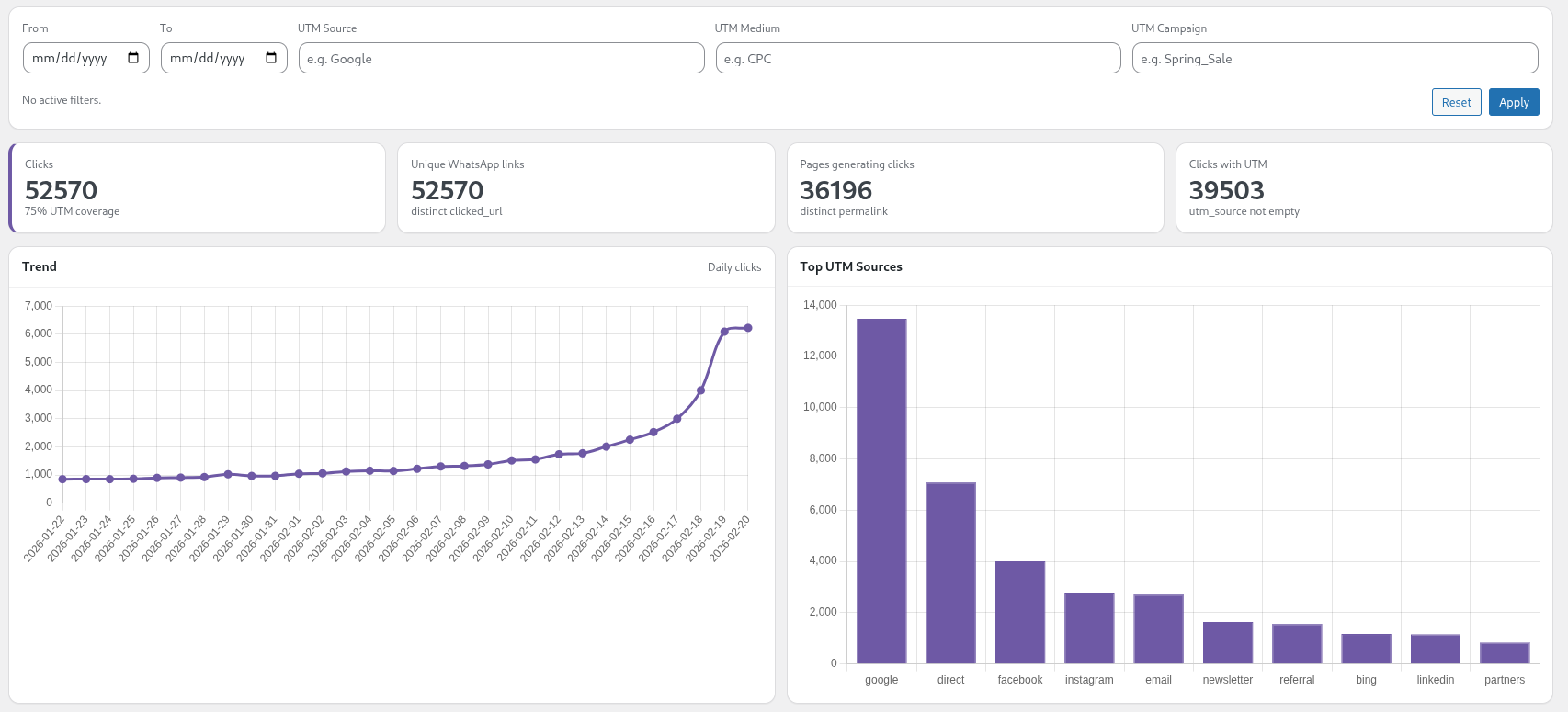
- Trend chart with visual click analytics over time
- Advanced report filters (date range, post type, permalink, UTM parameters)
- UTM tracking (utm_source, utm_medium, utm_campaign)
- Version
- 1.3.1
- Updated
- Oct 7, 2026
- Requires
- WordPress 6.0+
Screenshots
What's included
- Trend chart with visual click analytics over time
- Advanced report filters (date range, post type, permalink, UTM parameters)
- UTM tracking (utm_source, utm_medium, utm_campaign)
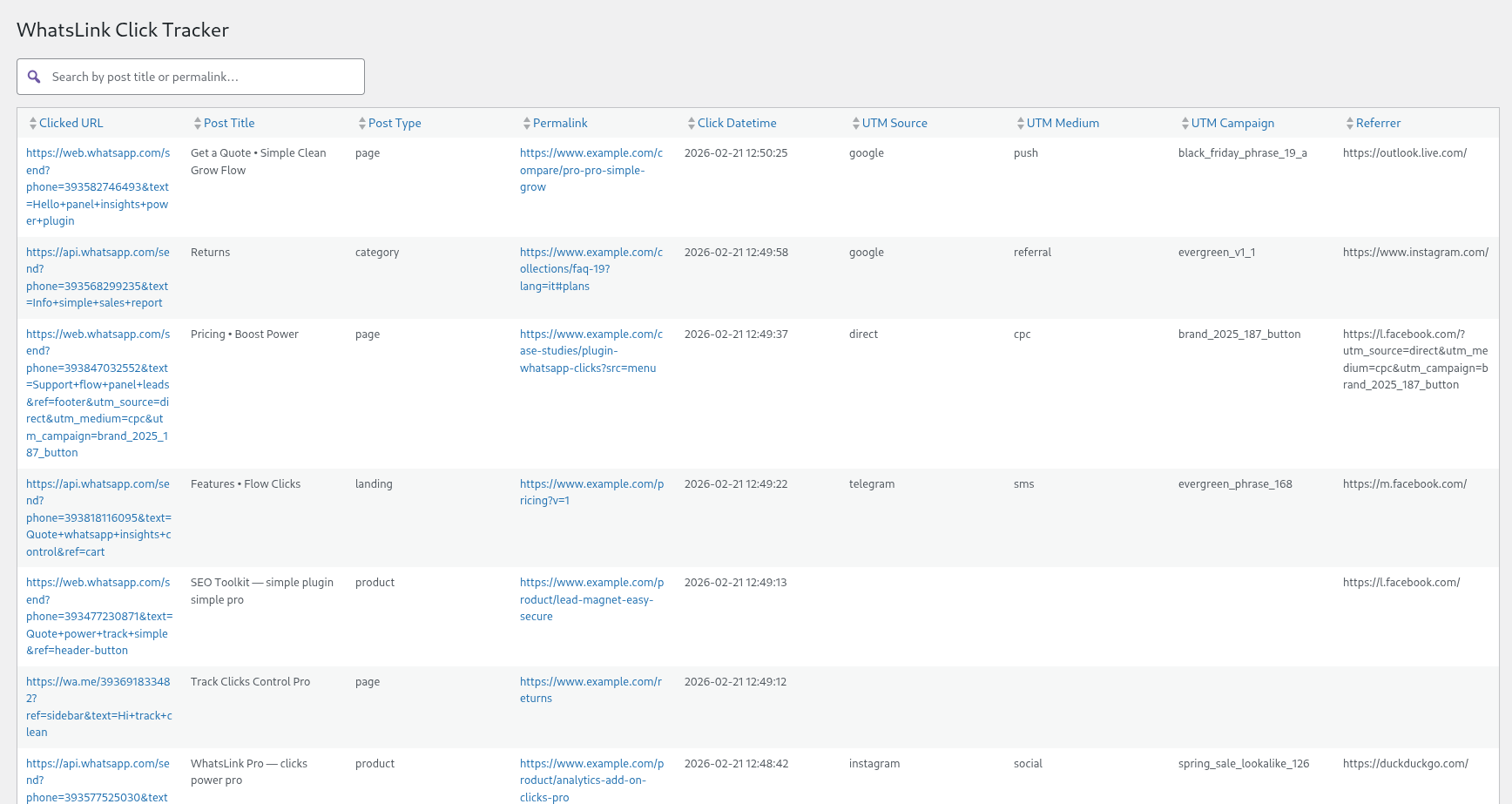
- Referrer tracking
- KPI overview (total clicks, top URLs, top sources)
- Channel Breakdown (WhatsApp, Telegram, Phone clicks by channel)
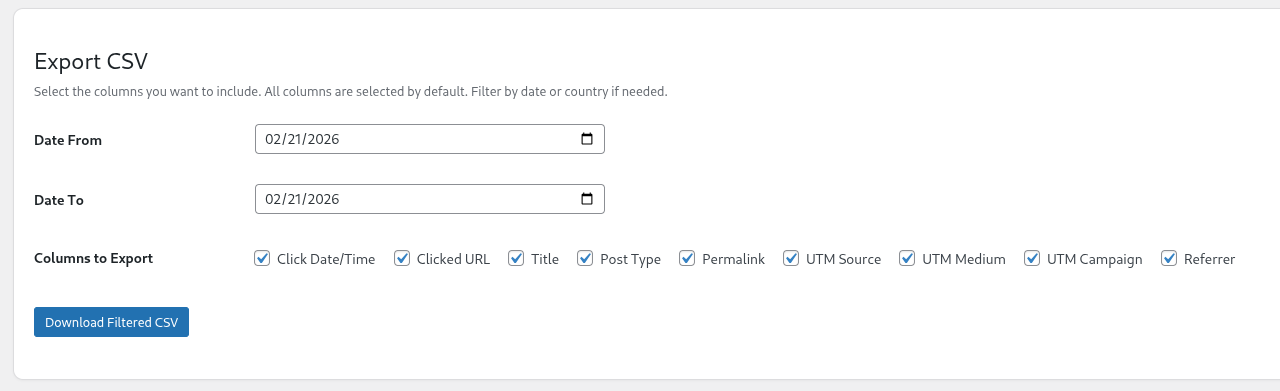
- Export click logs to CSV
- Daily and weekly email reports
- Real-time email notifications for new clicks
- Built-in reporting dashboard inside WordPress
PRO is an add-on: it needs WhatsLink Click Tracker installed. Get the free version
Overview
WhatsLink Click Tracker PRO turns your WordPress site into a real WhatsApp analytics dashboard.
If you use WhatsApp (or WhatsApp Business) to generate leads, close sales, or provide support, PRO helps you understand exactly what’s driving those conversations.
Instead of guessing which page or campaign generated a chat, you get structured data directly inside your WordPress admin.
With PRO you can:
✅ Track UTM parameters (utm_source, utm_medium, utm_campaign) to measure which ads and campaigns generate the most clicks
✅ Track referrers to see where visitors come from before clicking
✅ Use advanced Report filters (date range, post type, permalink, UTM)
✅ View KPIs and performance overviews inside the Reports dashboard
✅ Analyze click trends over time with visual charts
✅ See Channel Breakdown — clicks split by WhatsApp, Telegram, and Phone
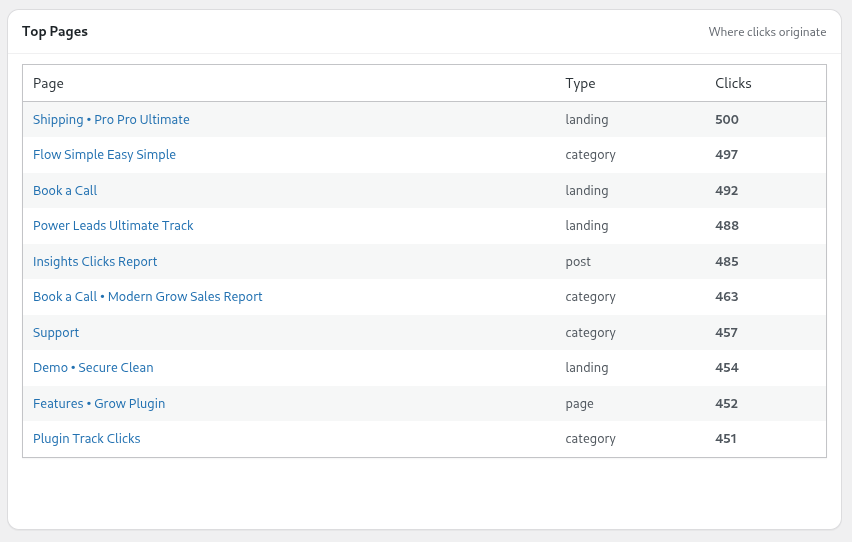
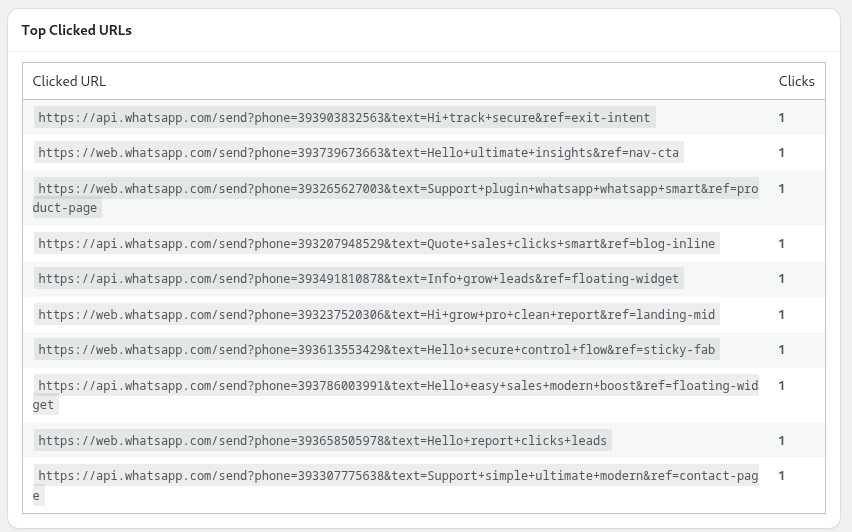
✅ Discover Top Pages, Top Clicked URLs, Top Sources, Mediums and Campaigns
✅ Export everything to CSV for client reporting or deeper analysis
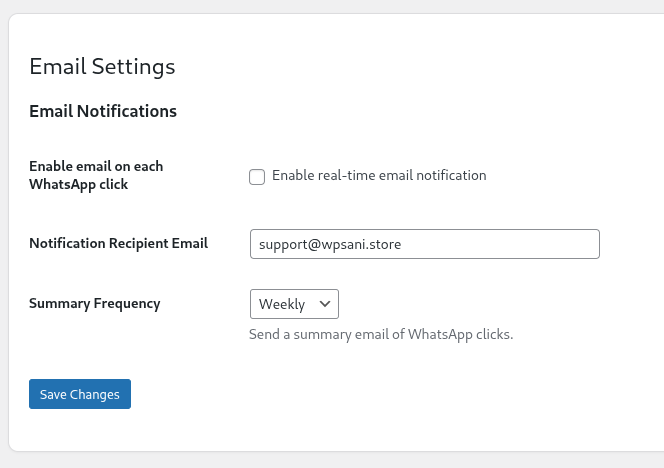
✅ Receive real-time email notifications and daily/weekly summary reports
All of this runs directly inside WordPress — no GTM setup, no external dashboards, no custom code.
Frequently asked questions
Which link types does it track?
All three messaging channels: WhatsApp (wa.me, api.whatsapp.com), Telegram (t.me), and phone (tel:). No configuration needed.
Is it compatible with WooCommerce?
Yes. WhatsApp and Telegram clicks on product pages are tracked and labeled by product title.
Is it GDPR compliant?
The Free version does not store IP addresses or geolocation data.
Can I export logs?
CSV export and email reports are available in the Pro version.
Will it slow down my site?
No. Logging is asynchronous and optimized for performance.
Installation
- Install and activate the free WhatsLink Click Tracker plugin from WordPress.org. PRO works on top of it.
- Download the PRO zip from the link in your purchase email, go to Plugins → Add New → Upload Plugin, upload it and click Activate.
- Go to WhatsLink Click Tracker → License, paste the license key from your purchase email and click Activate.
- Open WhatsLink Click Tracker → Reports to see charts, filters and CSV export.
Changelog
1.4.0
- New: Automatic updates. With an active license, new versions appear in Dashboard → Updates and install with one click, like plugins from WordPress.org.
- Updates keep arriving even if the free plugin is temporarily deactivated.
1.3.1
- Fix: Email notification and summary subjects no longer reference "WhatsApp" only — subjects now reflect all tracked channels (WhatsApp, Telegram, phone).
1.3.0
- New: Channel Breakdown widget in Reports — clicks split by WhatsApp, Telegram, and Phone.
Show 6 older releases
1.2.1
- Internal: version alignment with free plugin 1.2.1.
1.2.0
- Fix: CSV export returned wrong cached results when date_from and date_to filters were both applied (cache key collision with the unfiltered export).
- Compatibility: aligned with free version 1.2.0 (stats bar, date range filter, Top Pages on free dashboard).
1.1.1
- Now free version includes also UTM and referrer tracking.
1.1.0
- = FREE =
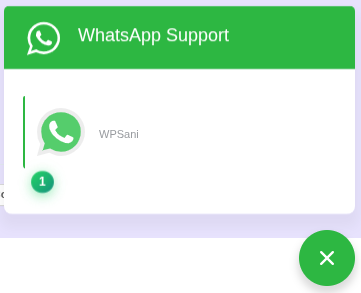
- Added badge counter on WhatsApp links showing total clicks per link.
- Added new column: Clicked URL.
- Refactored click count logic into a dedicated module.
- Improved logging reliability with sendBeacon.
- Security improvements. = PRO =
- Added advanced report filters (date range, post type, permalink, UTM).
- Added KPI overview in Reports.
- Added Trend chart.
- Added Top Sources, Mediums, Campaigns, Pages and Clicked URLs charts.
- Internal improvements and compatibility updates.
1.0.1
- Security and stability improvements.
1.0.0
- Initial release. ---
Reviews
No reviews yet. If you use this plugin, tell others how it works for you.
Write a review
-
How to Track Phone Link Clicks in WordPress (tel: Links)
WordPress doesn't track tel: link clicks by default. Learn how to log every phone number click — page, referrer, clicked link —…
-
How to Track Telegram Link Clicks in WordPress
WordPress doesn't track t.me link clicks by default. Learn how to capture every Telegram click — page, referrer, clicked link — without…
-
WhatsApp Button Not Tracking in WordPress: How to Fix It
Your WhatsApp button gets clicks but nothing shows in analytics. Here are the three reasons tracking breaks — and the fix that…
-
Joinchat Analytics: Cómo Rastrear Clics en WhatsApp por Página
Joinchat no registra ningún clic. Descubre qué páginas generan más conversaciones de WhatsApp — plugin gratuito, sin código, funciona junto a Joinchat.
-
Click to Chat Analytics: Track Which Pages Drive WhatsApp Conversations
Click to Chat for WhatsApp adds the button but logs no data. Add full click analytics in 2 minutes — source page,…
Questions or problems?
Write to us and a person who builds the plugin will reply, usually within 24 hours.