
On this page
Sticky Menu on Mobile: Usable WordPress Navigation
Sticky Menu on Mobile: Keep WordPress Navigation Usable
A sticky menu keeps navigation visible while visitors scroll, but it must leave enough room to read and operate the page. On mobile, a compact header can help; a tall one can hide headings, form fields, and keyboard focus.
CSS position: sticky preserves the header’s original space, then holds it at a threshold such as top: 0, within its containing boundaries. position: fixed removes it from normal flow, so content usually needs separate clearance. Neither automatically makes navigation accessible.
Who can use your mobile navigation?
Touch users need controls they can activate without hitting adjacent links. WCAG 2.2’s minimum target-size criterion specifies 24 × 24 CSS pixels, with exceptions including sufficient spacing; that is a compliance minimum, not an ideal size for every mobile button.
Keyboard users need visible focus and reachable links. Screen-reader users need a named navigation region and an accurately labelled menu button that communicates whether its panel is expanded. Ordinary website navigation generally does not need ARIA’s application-style menu roles.
- Enlarged text must not disappear behind the header or force essential controls offscreen. For simpler navigation markup, consult WordPress Dropdown Menu & List: 3 Ways, No Plugin Needed.
- Also reviewing a WhatsApp navigation link?
The WhatsApp tracking guides explain what button clicks can—and cannot—tell you about visitor activity. Read more WhatsApp tracking guides
Set the sticky menu position and content clearance
Choose the header container, rather than an individual link, as the sticky element. Give it an opaque background, a suitable stacking order, and a top offset that accounts for any persistent toolbar. Test WordPress both logged in and logged out.
For anchor destinations and keyboard scrolling, use appropriate scroll clearance, such as scroll-padding-top on the scrolling container. Match it to the header’s actual height; a desktop measurement becomes unreliable when mobile text wraps. A fixed header also needs space reserved in the page layout.
- If sticking fails, inspect ancestor overflow settings and the container’s boundaries. An ancestor can change the scrolling reference or limit the sticky element’s travel. Follow Create a Sticky Menu in WordPress: CSS and Plugins for implementation options.
- When landscape orientation or enlarged text leaves too little reading space, return the header to normal scrolling. Disabling stickiness at an appropriate viewport-height breakpoint is a valid accessibility decision.
- If the header includes a WhatsApp link, measure that separately from navigation usability. Free WhatsLink records the page, UTM parameters, and referrer of each click; those records do not establish whether somebody sent a message.
- Check which pages generate WhatsApp clicks
- Use the recorded page, UTM parameters, and referrer to understand the context of each click.
- Track WhatsApp clicks free with WhatsLink
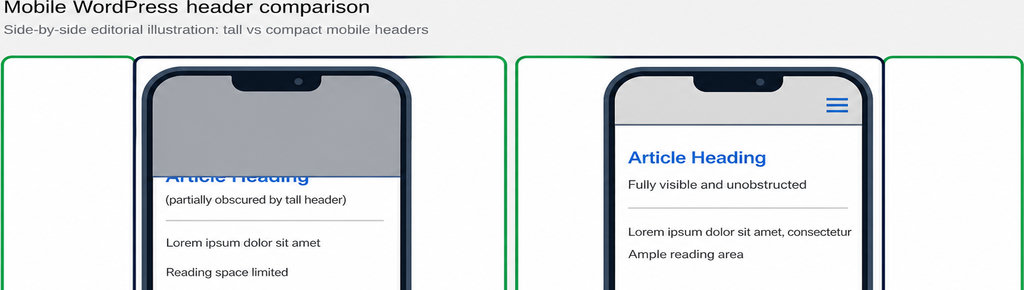
How to check that your responsive header works
Test 200% text enlargement and reflow at 320 CSS pixels wide. These are distinct checks: text resizing must preserve content and functionality, while narrow-width reflow should avoid two-dimensional scrolling for ordinary page content. Rotate a real phone between portrait and landscape.
Use Tab and Shift+Tab through the page, including links beneath the header. WCAG 2.2’s Focus Not Obscured minimum requires that author-created content not entirely hide the focused component; aim to keep it fully visible. Follow an anchor link and check that its heading remains readable.
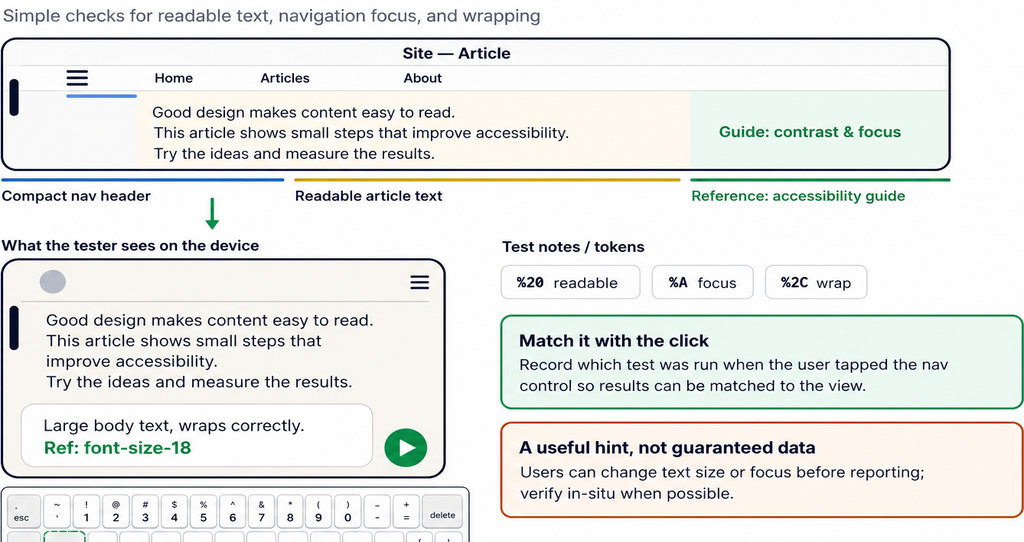
- Open every submenu and reach its final link and closing control. For disclosure navigation, check Enter/Space activation, accurate expanded-state announcements, and Escape closing with appropriate focus return. Test with a screen reader, too; visual inspection cannot verify announcements.
If a submenu fails before stickiness is enabled, diagnose it using WordPress Dropdown Menu Not Working? Fixes by Symptom.
Getting a sticky header in WordPress
- Start with native controls. In a supported block theme, place the header template part inside a top-level Group block and check Position → Sticky. Availability depends on block placement and theme configuration; classic themes may provide their own header settings.
- Choose custom CSS when you can maintain selectors and responsive rules. Consider a plugin when its documented controls solve a specific limitation. Before purchasing, verify mobile disabling, height-based behavior, offsets, administrator-toolbar handling, and keyboard operation on your actual theme.
- Check the demo: enlarge text, rotate the screen, and open long submenus.
- Check the documentation: confirm supported controls rather than assuming every sticky-header plugin includes them.
Running ads to pages with WhatsApp links?
- WhatsLink PRO sends clicks to Google Ads, the Meta Pixel, and GA4 as conversions, exports clicks as CSV, and emails every click. These are tracking features, not sticky-header controls.
- Explore WhatsLink PRO
FAQ
Does a sticky header improve Google rankings?
There is no established universal ranking benefit from keeping navigation visible. Choose it for usability, not an SEO promise.
Should navigation stay sticky on every phone?
No. Let it scroll normally when the available height cannot accommodate both navigation and usable content.
Can a plugin guarantee accessible navigation?
No. Theme markup, styling, submenu behavior, and other overlays still require testing together.
Does WhatsApp click tracking test menu accessibility?
No. It records interaction data, not keyboard access, reading space, or successful message delivery.